Your first task with Agents
From a clear goal to tested and reviewed code.
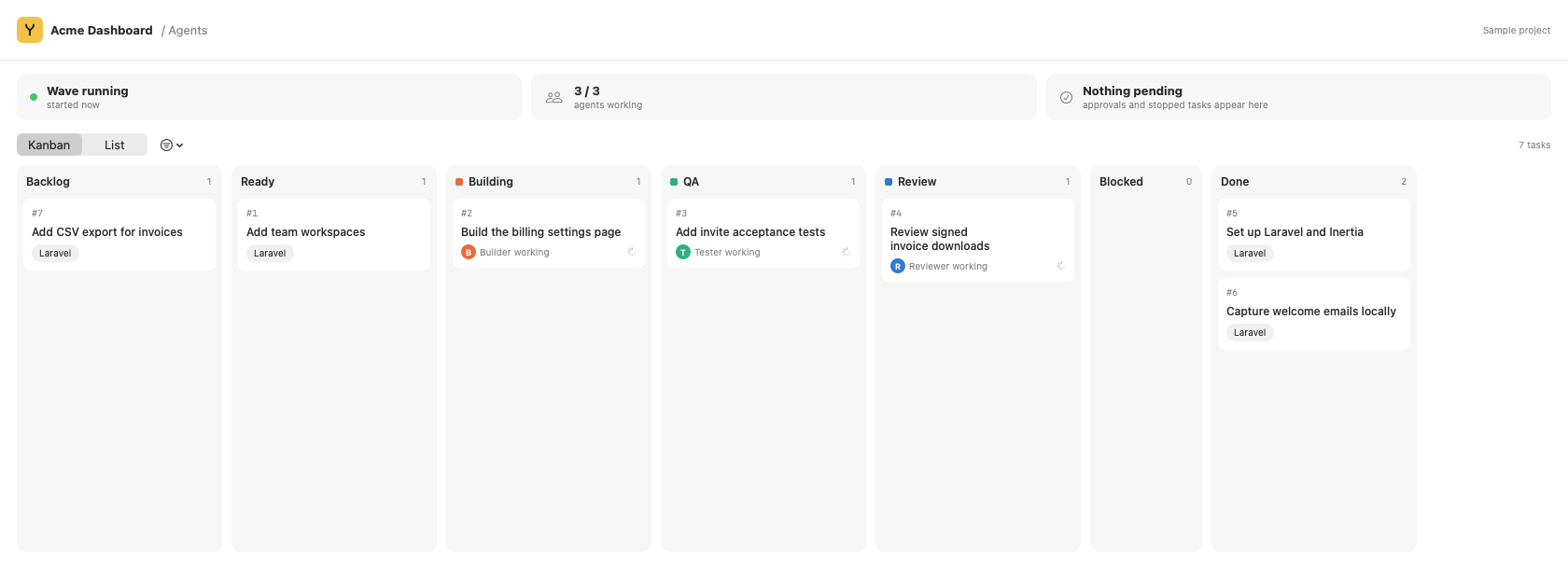
Choose a task source
Open a repository in Agents. The built-in board is the default for new connections and needs no GitHub account. GitHub Projects and compatible tracking plugins are also supported.
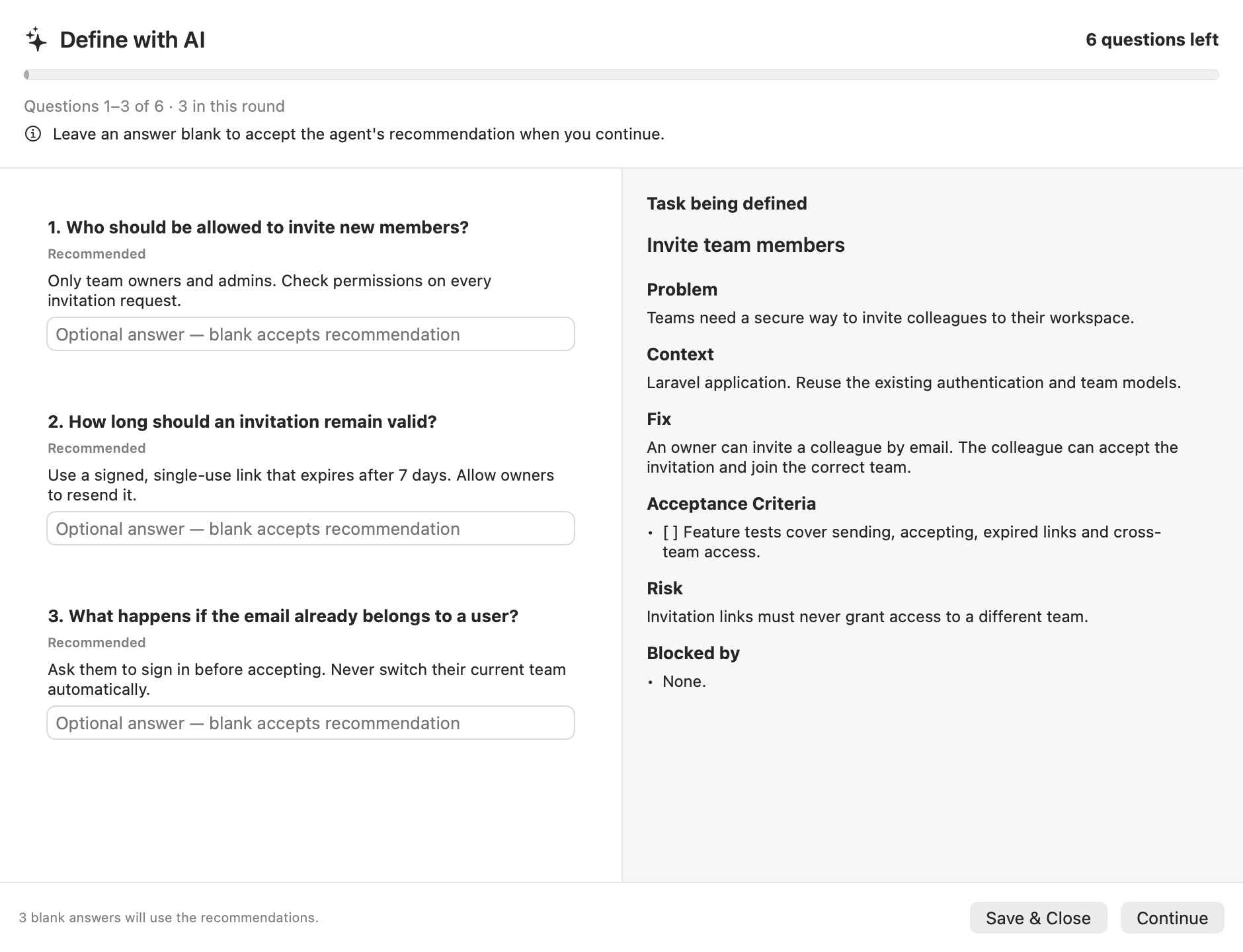
Define with AI (Grilling)
Open a saved draft or a Backlog task and choose Define with AI. Review up to six questions, in rounds of three or fewer. Blank answers accept the recommendation when you continue. Review the proposal before applying it; saving a draft does not start agents.
Define the outcome
Give a task concrete acceptance criteria. Configure project verification commands before running agents. Yard can suggest Composer and JavaScript scripts; review them.
Build → QA → Review → Done
- Build implements in a separate worktree.
- QA runs checks and gathers evidence.
- Review reviews changes and applies delivery policy.
- Done records completed delivery.
A task labeled qa starts in QA. Check evidence and test results rather than relying only on an agent’s completion message.
Approval and delivery
GitHub repositories deliver through pull requests. Without a GitHub remote, the built-in board can deliver to a local branch through the same merge controls. Approval is tied to the reviewed commit and scope; a changed commit needs fresh checks.
The inspector explains stopped tasks and offers retry or review actions. Inbox gathers signals; scheduled collection must be explicitly enabled. Metrics separates known costs, coverage, and delivery evidence.
Choose models and effort per stage in Settings → AI & Models. Provider usage costs extra. See models, task sources, and evaluations.