Build with Studio
Preview, changes, browser context, and your agent.
Your project in one place
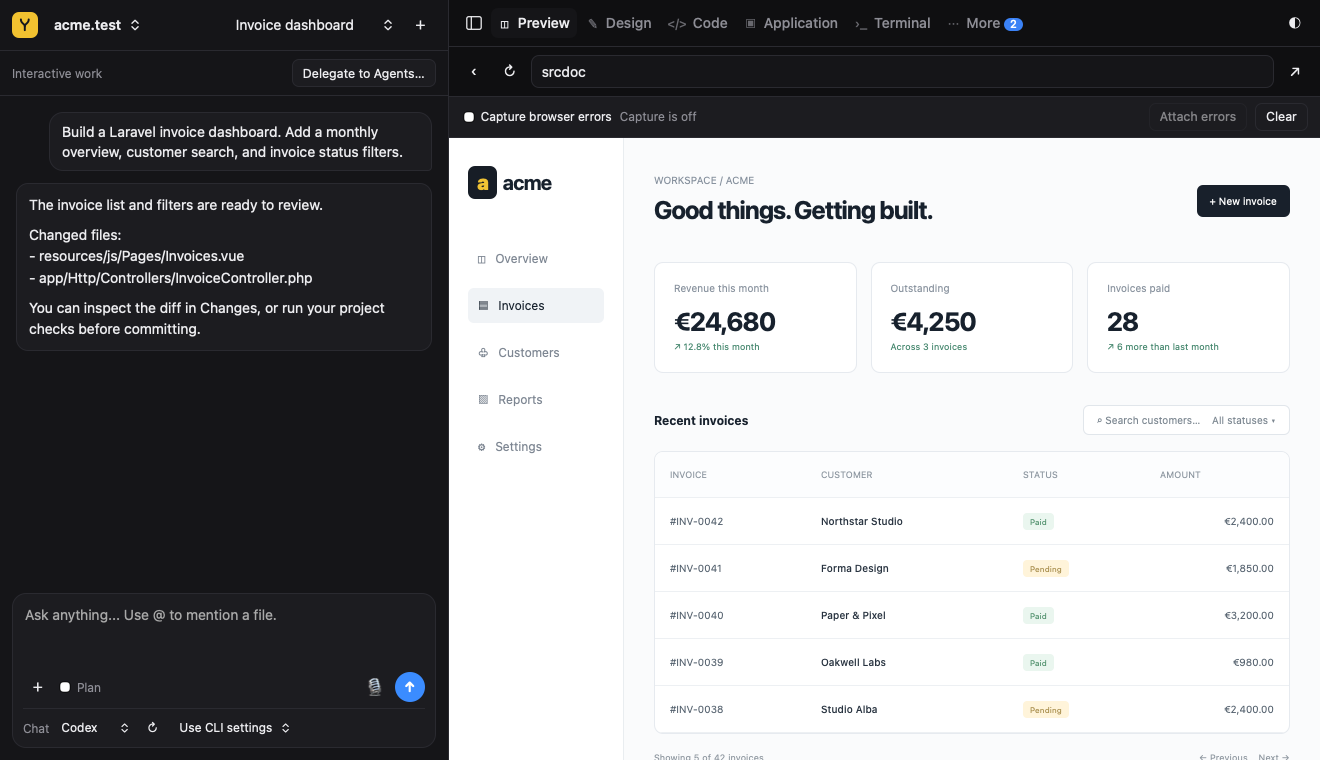
Studio puts the local preview beside your agent conversation and editing tools. Open it in Yard or in a separate window from Settings → AI & Models.
Design mode
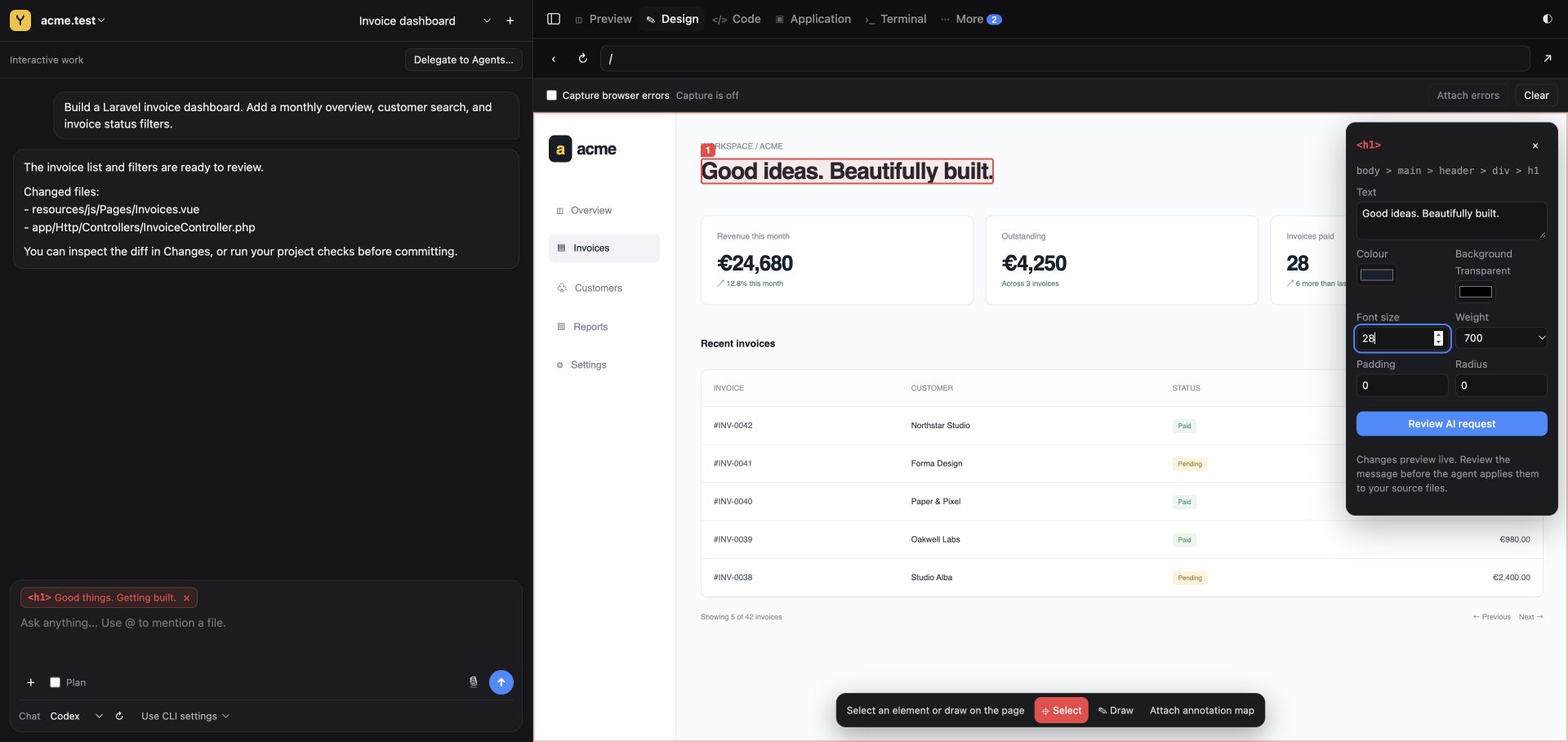
Open the Design tab in Studio and select an element in the preview. Adjust text, color, size, and spacing in the inspector. Changes are previews: choose Review AI request to prepare the message, then review it before sending it to your agent to edit the source files.
Connect your tool
Configure a provider and model before chatting. Provider accounts and usage are billed separately. Studio is optional: local sites and services work without it.
yard studio
Give useful context
Attach browser errors and visual annotations from the preview. Native Studio can include pixels; external browsers provide an identified element map and drawings. Review the context sent to the agent.
Review and deliver
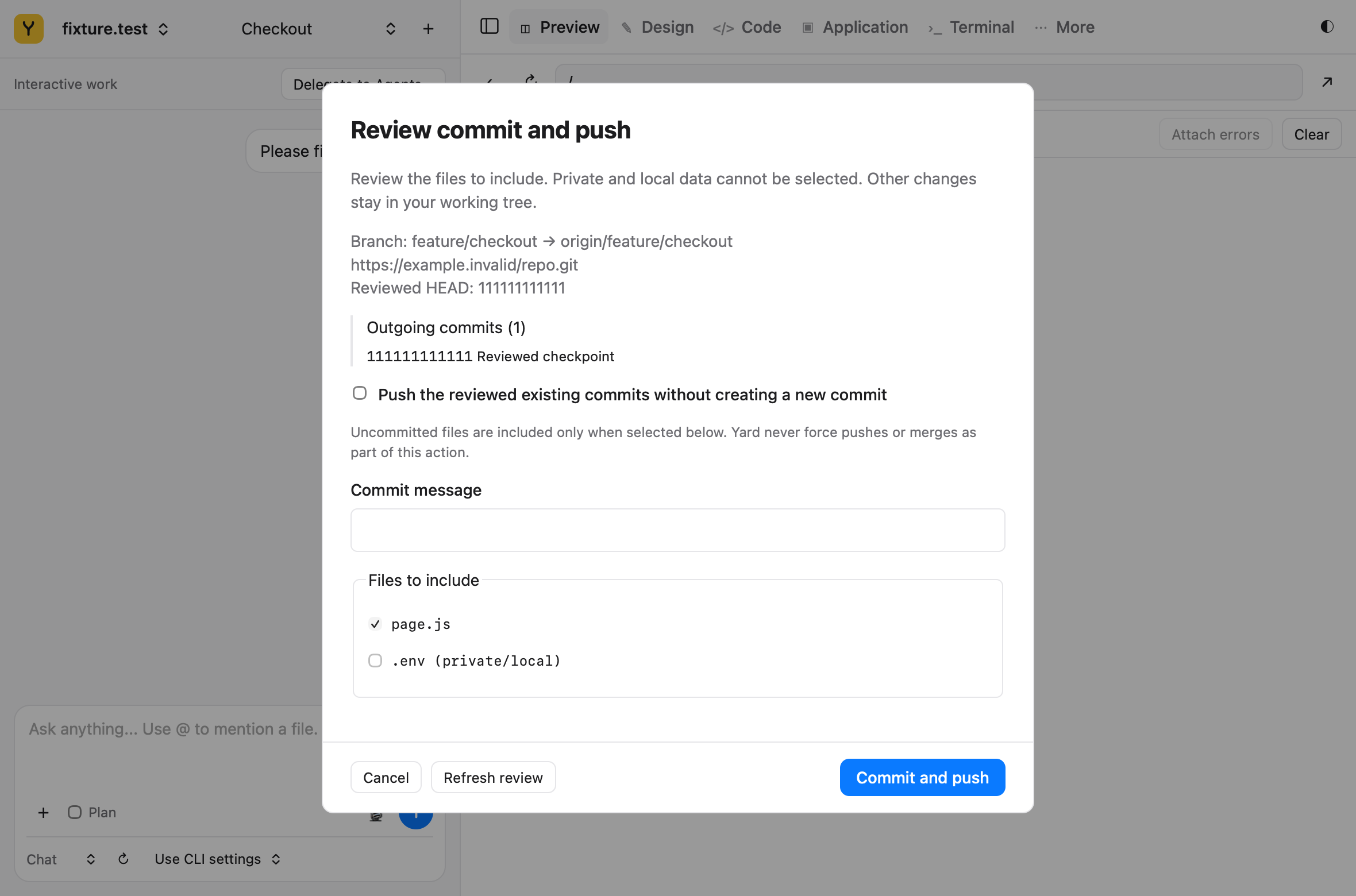
Changes shows files and diffs. Commit and Push requests explicit review. Studio checks detected test scripts before its automatic end-of-turn commit; if they fail, it preserves the work without that commit.
The editor supports quick edits and lexical completion. Use an external terminal for interactive shells, REPLs, and full-screen programs; Studio’s command panel is non-interactive.
Delegate to Agents
Delegate to Agents… prepares a task and acceptance criteria. Work in Studio resumes board work. Transfers preserve task identity and changes; review the proposal before continuing.